


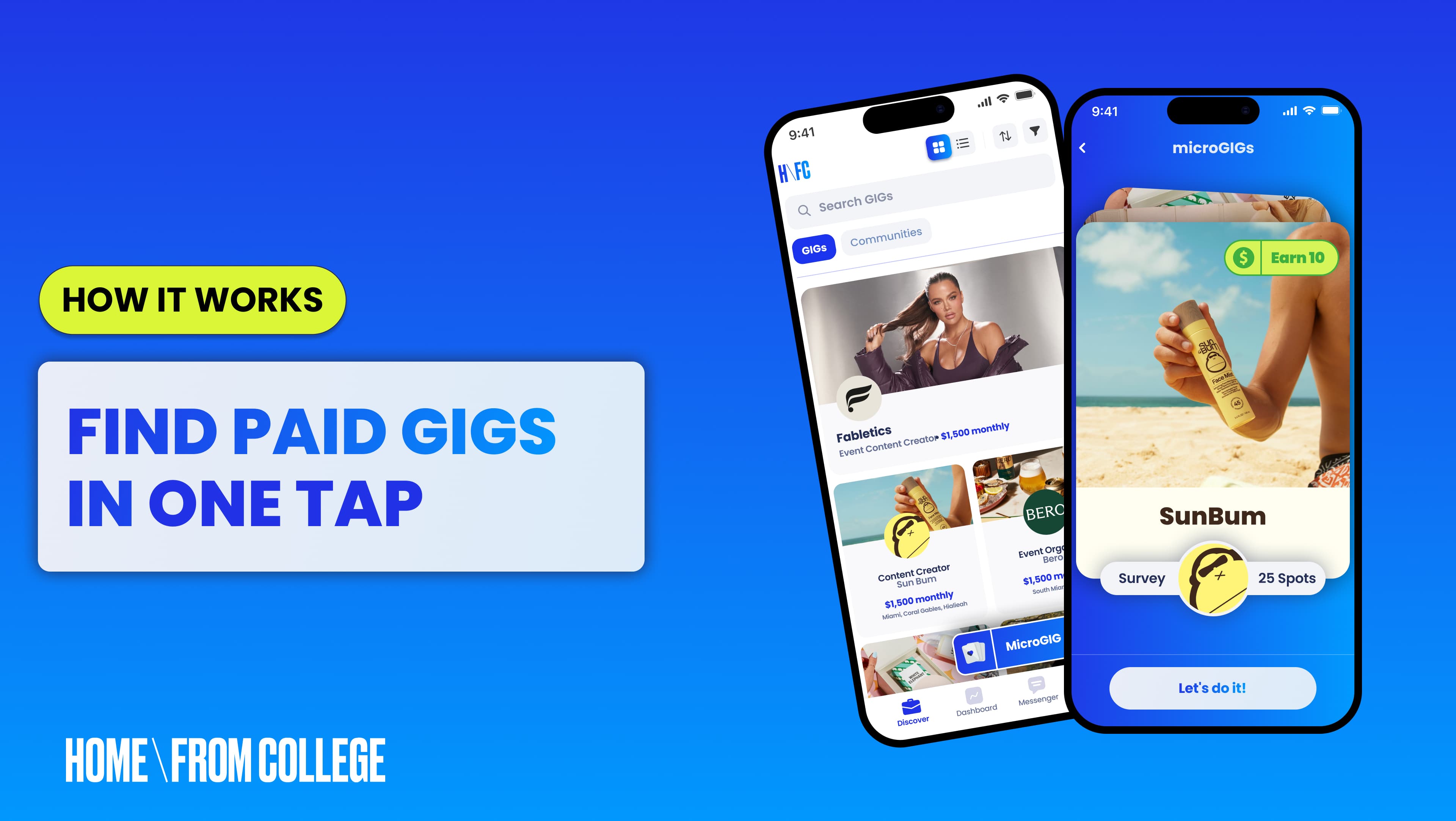
How it Works
5 min to read
Why You Should Download the H\FC App to Find Paid Gigs
Download the H\FC app to find paid GIGs between classes, sync deadlines to your calendar, and submit content straight from your phone.
Laura Gomez
I’m convinced that every college student has a moment during the week when they open their calendar and wonder how they agreed to do so many things.
Between classes, campus jobs, and whatever is happening that weekend, my schedule fills up pretty quickly. Add content creation and brand deadlines into the mix, and suddenly I’m trying to remember whether I responded to a message or submitted that video I finished editing yesterday.
If you’re already using Home From College to find paid opportunities, having the H\FC app on your phone makes keeping up with your GIGs a lot more convenient. It also gives you an easy way to check for new opportunities whenever you have some downtime.
Can You Find Paid GIGs Between Classes?
One thing I appreciate about H\FC is being able to find opportunities that work around my schedule. I can have a completely packed Monday and somehow end up with a free afternoon later in the week.
Having the app makes it easy to browse GIGs whenever I have a moment. Sometimes that means checking opportunities while I’m sitting in the dining hall or waiting for my next class to start.
If something catches my attention, I can look into it right away. I’ve found that the opportunities I get most excited about are usually the ones where I can immediately picture how I’d create content for the brand.
What Are microGIGs?
Sometimes you want to make a little extra money without adding a huge project to your schedule. That's where microGIGs come in. microGIGs typically pay between $5-$25 and can take as little as five minutes to complete.
These smaller paid opportunities are especially appealing during the semester because you can look for tasks that fit into the time you have available.
I love being able to check what’s out there when I have a lighter week or a little downtime. It gives me another way to earn money through H\FC while balancing everything else I have going on.
And as a college student, finding a way to make some extra spending money is always welcome.
How Do I Sync GIG Deadlines to My Calendar?
I’m pretty good at remembering deadlines until the week gets busy and suddenly everything seems to be due at once.
Having your GIGs accessible from your phone makes it easier to check what’s coming up and stay updated on anything that needs your attention. With notifications enabled, you can also keep up with messages and important updates while going about your day.
One feature I especially recommend is syncing your H\FC task due dates with your personal calendar. Just head to Settings → Sync Your Calendar and choose Add to Calendar or Add via Google Calendar. Your GIG deadlines will appear alongside your classes and other commitments, and new tasks or deadline changes will update automatically.
I love being able to see everything in one place because it helps me figure out when I actually have time to film and get ahead of upcoming deadlines.
🎥 From Filming to Submitting
If you’re a content creator, there’s a good chance your camera roll is full of videos you filmed for different projects.
I usually film on my phone, so being able to manage my content from the same device is convenient. Once I’ve finished editing, I can head into my GIG workspace and submit what I’ve created.
It’s also helpful to have the task details accessible when I need to double-check a requirement before submitting. I always recommend reviewing the instructions carefully, especially when a brand wants to approve content before it goes live.
✨ Your GIGs, Wherever the Day Takes You
College life involves a lot of moving around, and I appreciate anything that makes my schedule easier to manage.
The H\FC app gives you a way to keep up with your existing opportunities while checking for new ones that fit into your semester.
Whether you’re working on a bigger brand partnership or looking for a MicroGIG to earn some extra cash, it’s nice having everything within reach.
Frequently Asked Questions
Question: Can I get notifications for my GIGs?
Answer: Yes. With notifications enabled, you'll get updates on messages and important changes to your GIGs.
Question:Can I submit GIG content from my phone?
Answer: Yes. Edit on your phone, then open your GIG workspace and submit from there.
Question: How do I add GIG deadlines to Google Calendar?
Answer: Go to Settings, tap Sync Your Calendar, and choose Add via Google Calendar. Deadlines and changes update automatically.
What is a microGIG?
A microGIG is a smaller paid opportunity that fits into a light week or a few free hours. microGIGs pay between $5-$25 and can be completed in as little as 5 minutes.
Related Topics of Discussion
Your Privacy
We use cookies and similar technologies for analytics, advertising, and personalization. Non-essential cookies are placed only with your consent. See our Privacy Policy.