



He/Him
Chigan
Content creator and digital marketer with strong reach on TikTok, YouTube, and Facebook. I drive traffic using viral short-form videos and UGC. I promote products through engaging content, generating
Endorsements
Verified
Recently Active
21+
UGC Creator
About Me

Garden City Community College

Garden City, KS, USA

digital media, Marketing

Class of 2028

Garden City, KS, USA
Skills
Interests
My Clubs and Associations

Chigan Madu UGC
Brands I Follow






GIG Work on H\FC

Al Creation | Dreamina Alliance!(10K+ Followers) 11.0
Dreamina AI
My Portfolio
.png&w=3840&q=75)
Interview Questions
The Puck Podcast
Podcast Video Editor for Social Media Clips

What experience do you have editing video?
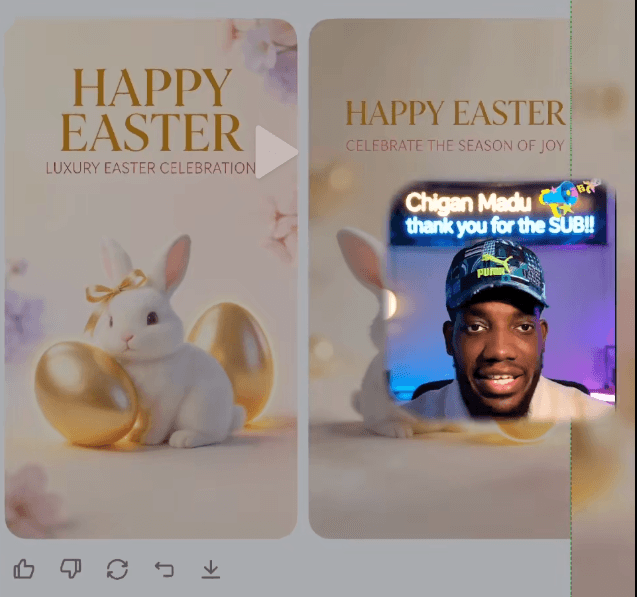
I work as an independent content creator and editor, producing short form video end to end: scripting, editing, sound design, captions, and final delivery. I run my own sports Shorts channel where I handle the full production pipeline, and I've edited music video content and promotional material for my own releases as a recording artist, so I'm used to treating every edit as a finished commercial product, not a casual post. Technically, I edit in CapCut and Filmora daily, covering multi layer timelines, keyframed motion, punch in zooms, styled captions with keyword highlighting, audio cleanup and leveling for voice, and platform specific exports for TikTok, Reels, and Shorts. I also build template based editing systems so a series keeps an identical visual identity across every clip, which matters a lot for a podcast brand where consistency builds recognition. Beyond traditional editing, I integrate AI tools into production, including ElevenLabs for voiceover work and AI image and video generation for graphics and b roll, which lets me deliver polished content faster than a standard manual workflow. What I'd bring to The Puck is a retention first editing style: one idea per clip, dead air removed, visual change every couple of seconds, and clips that end on the strongest line to drive viewers toward the full episode.
The Puck Podcast
Podcast Video Editor for Social Media Clips
How do you ensure videos remain engaging and concise?
I start from the principle that every clip should contain one idea only. With podcast content the biggest mistake is trying to keep too much context, so I cut straight into the strongest moment of the conversation, even if it's mid sentence, because that creates instant curiosity about what's being discussed. From there my process is: Ruthless trimming. I remove every pause, filler word, and dead air gap. Tightening the gaps between sentences alone can cut 20 percent of runtime without losing anything, and it makes the speaker sound sharper. Visual movement every few seconds. Punch in zooms on key lines, speaker switches, caption emphasis, or a graphic popping up. If the frame hasn't changed in 2 seconds, something gets added or cut. Styled captions with keyword highlights, since most viewers watch muted. The captions basically become the visual rhythm of the clip. End early. I cut the clip right after the strongest line lands instead of letting the conversation wind down. Ending on the peak keeps average watch percentage high and leaves people wanting the full episode. Before exporting I always rewatch once asking one question: would I personally swipe away at any point? If yes, that section gets cut, no matter how good it sounded in the full episode.
The Puck Podcast
Podcast Video Editor for Social Media Clips
What video editing tools do you prefer for creating social media clips?
My main tools are CapCut and Filmora. CapCut is my go-to for fast vertical clips: trimming long recordings down to the strongest moments, auto captions that I clean up and restyle manually, punch in zooms on key lines, and quick 9:16 export presets. Filmora is what I use when a clip needs more polished work, like layered graphics, smoother transitions, keyframed animations, and cleaner audio adjustment for podcast voices. For podcast clips specifically, captions are the priority since most people watch on mute, so I always restyle them with bold keyword highlights instead of leaving default auto captions. I also work with AI tools in my pipeline, like ElevenLabs for voiceover when content needs narration, and I keep a consistent visual template across every clip so the brand look stays uniform (same caption style, same framing, same graphics). I adapt to whatever the team prefers though. If you already have an established style or template, I can match it.