How to Add Your Task Due Dates to Your Calendar
The fix: sync your H\FC calendar so your GIG deadlines show up automatically on the calendar you already check every day.
There are few things worse than realizing you had a GIG task due yesterday.
College calendars are already a lot. Between classes, club meetings, work shifts, office hours, and whatever plans somehow appeared in the group chat, keeping another list of deadlines in your head is probably not going to work.
That’s why one of the easiest things you can do when you start an H\FC GIG is to add your task due dates to the calendar you already check every day.
It takes a few minutes, and your future self will appreciate it.
📅 how do I sync my H\FC calendar with GIG deadlines?
Getting set up is quick. Head to Settings in the top right corner of your H\FC account, then select Sync Your Calendar from the menu on the left.
From there, choose Add to Calendar or Add via Google Calendar. If your calendar app asks for a URL, you can also copy your personal calendar link directly from the page.
That’s it. Once you’re synced, your H\FC task deadlines will automatically show up on your calendar. New tasks will be added as they come in, and if a deadline changes, the event will move with it.
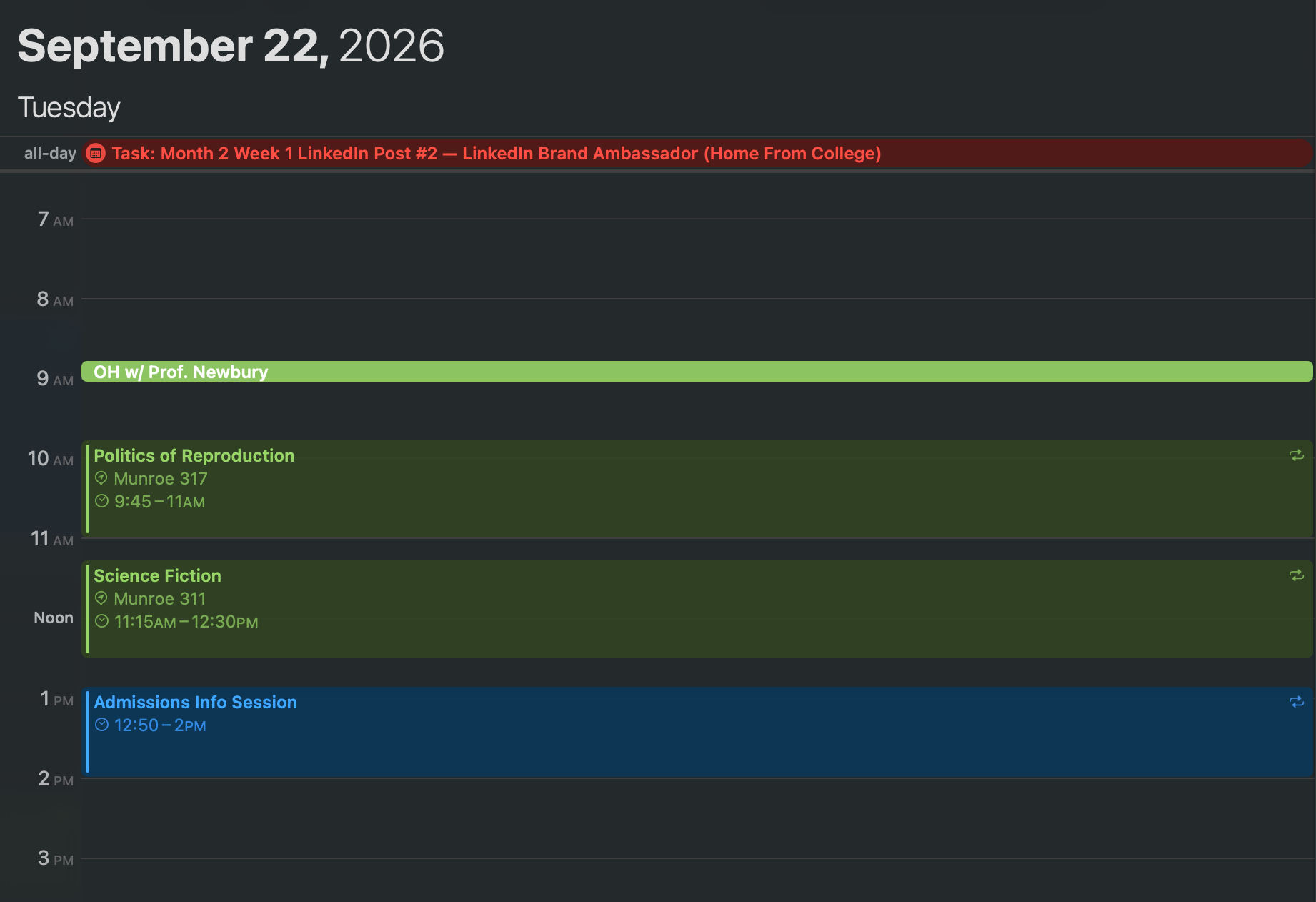
👀 see your GIG deadlines next to your actual life
This is the part I find most helpful.
A deadline can look totally manageable when I’m only looking at H\FC. Then I see it on my regular calendar and realize it falls during an already packed week.
Having everything in one place makes it much easier to figure out when I actually need to start a task. If I know I have a content deliverable coming up during a busy week, I can plan ahead instead of realizing the night before that I still need to film.
It also means I don’t have to remember to check another place just to know what’s coming up. My GIG deadlines are right there with the rest of my schedule.
🔔 how do I make sure I don’t miss a GIG deadline?🔔
Getting the deadlines onto your calendar is step one. The real lifesaver is setting reminders.
Personally, seeing something is due at 11:59 p.m. does not magically mean I will remember it at 4 p.m.
Give yourself enough notice to actually complete the task. If you need to film content, think about when you’ll have time to do it. If something needs approval before posting, give yourself room for that too.
You can also add your own mini deadlines before the official one. A final due date might be Friday, but your personal calendar could tell you to start working on it earlier in the week.
Suddenly, “submit GIG task” feels a lot less intimidating.
✨ your calendar should make college easier
The best organization system is the one you’ll actually use.
You don’t need a complicated productivity setup or a perfectly color-coded Notion page. If you already open your calendar every day, having your H\FC deadlines there too makes staying on top of your GIGs a lot easier.
And during a busy semester, I’ll take all the help I can get.
❓ quick answers
Q: Do I need a separate app to track GIG due dates?
A: No. Sync your H\FC calendar to whatever calendar you already check — Google Calendar, Apple Calendar, Outlook — and skip the extra app. The best organization system is the one you'll actually open.
Q: How do I add my H\FC GIG deadlines to my calendar?
A: Head to Settings in your H\FC account, then select Sync Your Calendar from the menu. Choose Add to Calendar or Add via Google Calendar, or copy your personal calendar link if your app asks for a URL.
Q: Will new GIG tasks or deadline changes show up automatically?
A: Yes. Once you’re synced, new tasks are added as they come in, and if a deadline changes, the event moves with it.
Q: Why put GIG deadlines on my regular calendar instead of just checking H\FC?
A: Seeing a deadline next to the rest of your schedule makes it easier to tell when you actually need to start a task, especially during an already busy week.
Q: How do I make sure I don’t miss a deadline once it’s on my calendar?
A: Set reminders with enough notice to actually finish the task, and add your own earlier “mini deadlines” before the official due date.